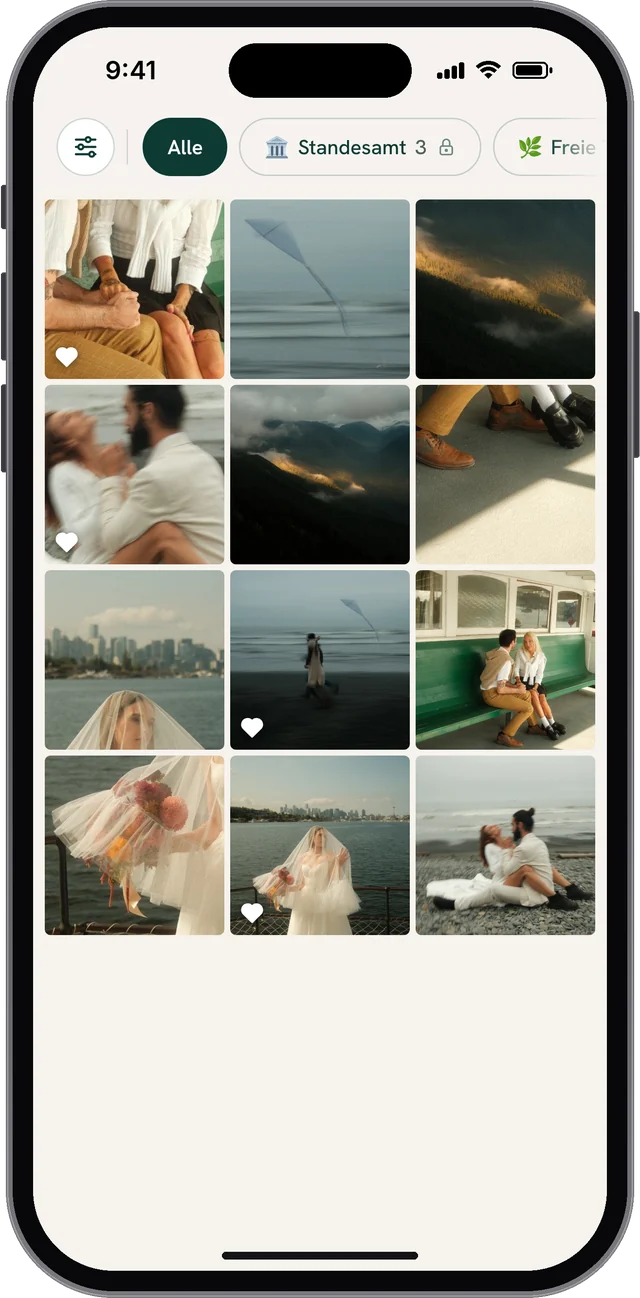
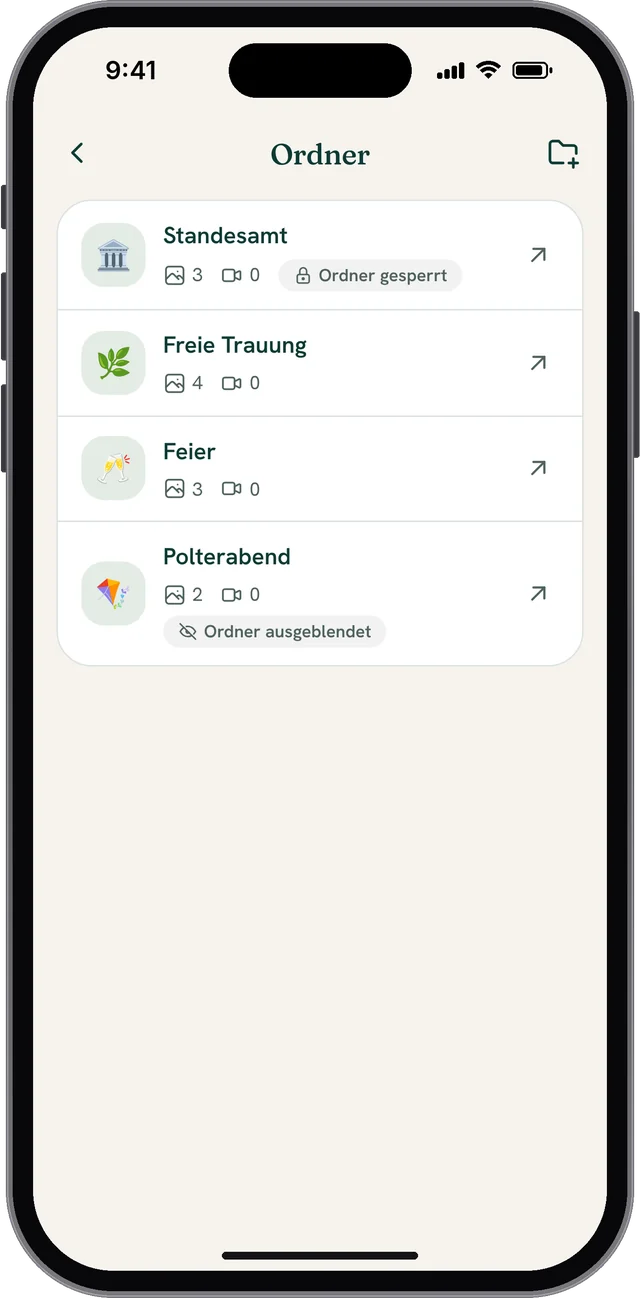
Many couples celebrate their wedding in several stages, for example first with a civil ceremony and later with a symbolic or church ceremony. So that your guests’ photos and videos don’t get mixed up, you can create a separate folder for each ceremony in WeddyLens. All folders sit in one single album.
Typical examples:
- Civil ceremony
- Symbolic or church ceremony
- Evening reception
- Pre-wedding party
This keeps the album tidy, for you and for the guests who want to upload or view content.
New: lock and hide folders
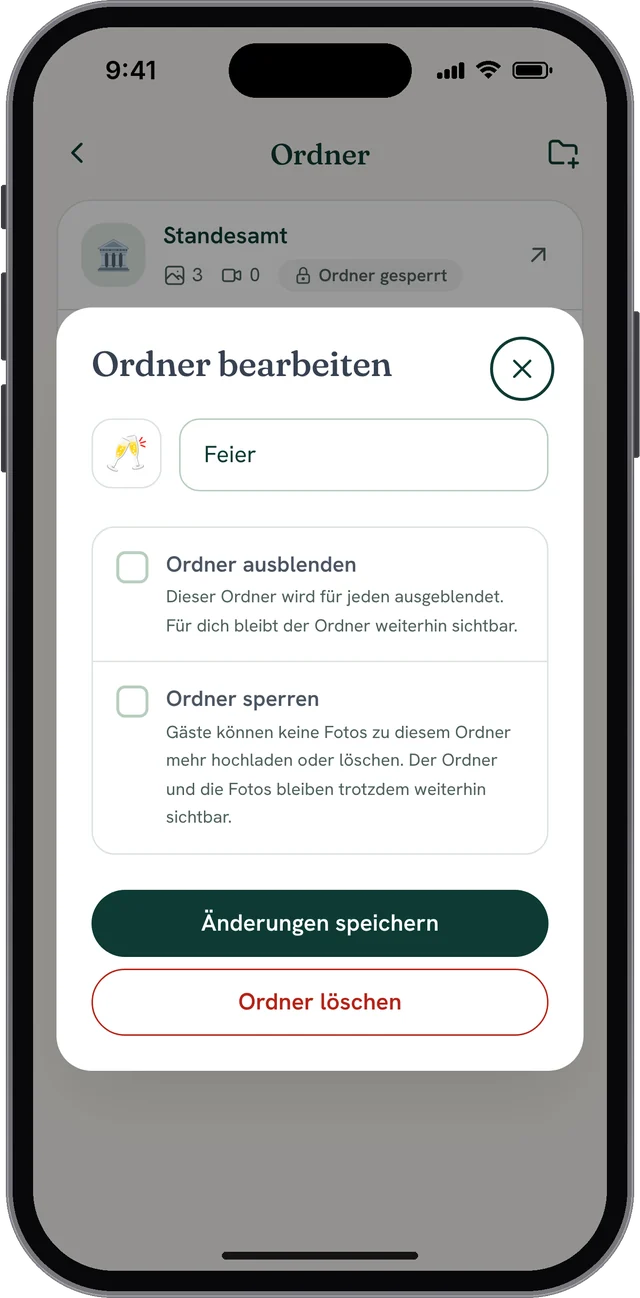
Two new features give you more control over what happens to the content of a folder.
Lock folder
A locked folder stays visible, but no new content can be uploaded to it. This is handy when part of the wedding is over and nothing more should be added.
Example: After the civil ceremony, you have all the photos together. So that nothing else comes in, you lock the folder. It still stays visible.
Hide folder
Only you as a couple can see a hidden folder. It is hidden from guests, unless you give individual guests the View all content permission.
Example: The folder for the pre-wedding party was only meant for a small circle. You no longer want to show it afterwards, so you hide it.
Everything neatly separated in one album
With folders, you collect the content of several ceremonies or events separately and still keep track, because everything stays in one place. Your guests see the folders in the album as a bar above the photos and can pick the right one straight away when uploading.